 Download now
Contact
Help for clean archive workflows.
If you need help with Peek Compress, contact support by email and include the issue, what you expected to happen, and your macOS version.
Tell us where it happened
App workspace, Finder Quick Actions, Quick Look, Open With, working copies, protected archives, or a specific format family.
Before you write
Details that help resolve archive issues faster.
Versions
Include the app version, your macOS version, and the archive format involved.
Workflow
Mention whether the issue happened in the app, Finder, Quick Look, Open With, a working copy, or a protected archive prompt.
Last step
Describe the last action you took before the issue appeared, especially if it involved save-back, conversion, or extraction.
Privacy
Do not send private archives unless support specifically asks for a sample.
FAQ
Common support questions.
How do I restore my Pro purchase?
Open the app and use the restore purchases option to recover your Pro access on the same Apple account.
Are my files uploaded to a server?
No. Files remain on your Mac and are not uploaded to a remote server by Peek Compress.
Which archive formats are supported?
Peek Compress supports ZIP, ZIPX, JAR, WAR, EAR, APK, AAR, AAB, APKS, IPA, EPUB, APPX, XPI, 7Z, TAR variants, CPIO, CPGZ, GZIP, BZIP2, XZ, LZMA, ISO, CAB, WIM, XIP, SPK, and RAR. See the formats page for the full matrix.
What does Peek Pro unlock?
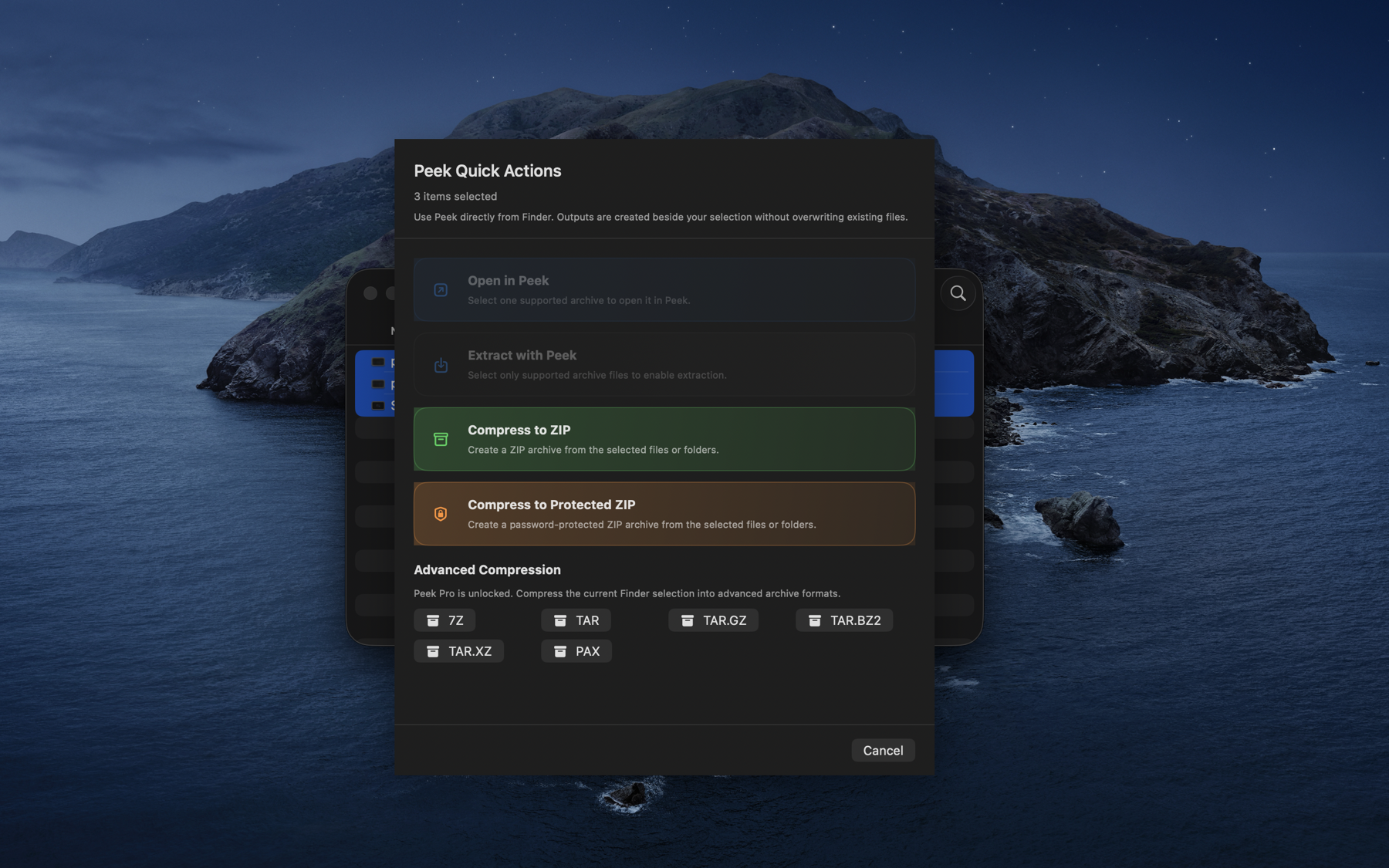
Peek Pro is a one-time unlock for advanced workflows such as editing archive contents, comparing archives, verifying archive integrity, creating 7Z and TAR archives, converting between formats, and advanced Finder compression targets. Creating a ZIP, with or without an AES-256 password, is free.
Can I use Peek from Finder?
Yes. Finder Quick Actions can open supported archives in Peek, extract supported archives beside the original, and compress Finder selections to ZIP. Peek Pro unlocks advanced Finder compression formats.
What happens with password-protected archives?
Peek prompts for a password when a supported protected archive requires one. Password-protected ZIP archives open as read-only after password entry, and creating one is free.